部署
🌐 Deployment
将你的 Mastra 应用部署到生产环境,并将你的代理、工具和工作流作为 REST API 端点公开。
🌐 Deploy your Mastra application to production and expose your agents, tools, and workflows as REST API endpoints.
Mastra Cloud 目前处于测试阶段,但许多团队已经在使用它来部署他们的代理程序。这是在托管环境中运行 Mastra 代理程序的最简单方式。
启用部署Direct link to 启用部署
🌐 Enable deployments
在设置好你的项目后,点击侧边栏中的部署,然后选择启用部署。
🌐 After setting up your project, click Deployment in the sidebar and select Enable Deployments.
启用后,你的项目将自动构建和部署。未来对主分支的推送将触发自动重新部署。
🌐 Once enabled, your project automatically builds and deploys. Future pushes to your main branch trigger automatic redeployments.
仪表板Direct link to 仪表板
🌐 Dashboard
概览 页面显示你的项目域名 URL、状态、最新部署以及已连接的代理和工作流。
🌐 The Overview page shows your project's domain URL, status, latest deployment, and connected agents and workflows.
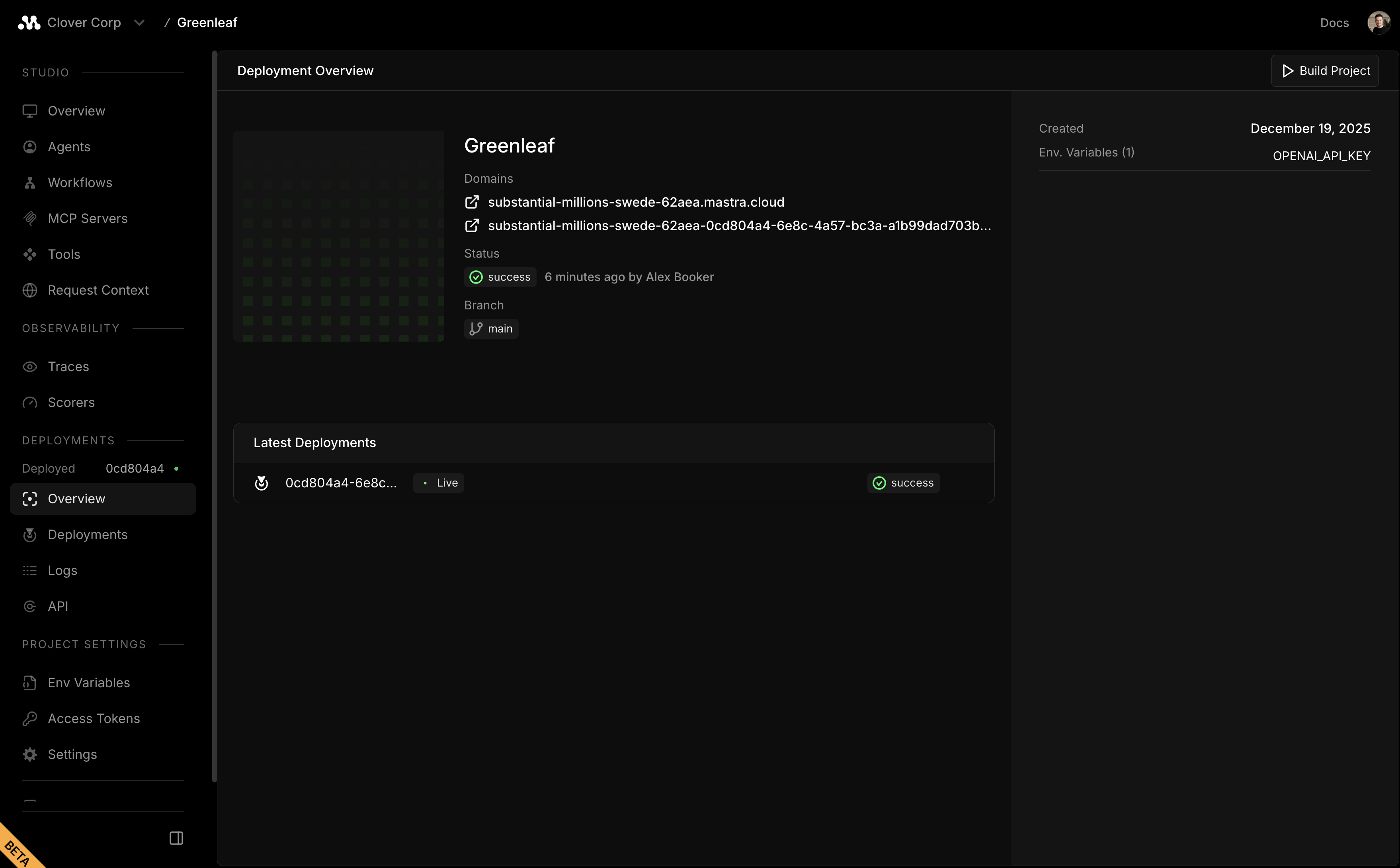
点击 部署 菜单项查看构建日志。打开 设置 配置环境变量、分支、存储和端点 URL。
🌐 Click the Deployments menu item to view build logs. Open Settings to configure environment variables, branch, storage, and endpoint URLs.
设置更改需要新的部署才能生效
存储配置Direct link to 存储配置
🌐 Storage configuration
Mastra Cloud 提供两种存储选项:
🌐 Mastra Cloud offers two storage options:
- Mastra 云存储:由 Mastra Cloud 提供的托管存储
- 自带数据库:连接到你自己的外部数据库
使用 Mastra 云存储Direct link to 使用 Mastra 云存储
🌐 Using Mastra Cloud Store
在使用托管的 Mastra 云存储(在项目设置中启用)时,存储必须配置在 Mastra 实例上,而不是在各个代理 Memory 实例上。
🌐 When using the managed Mastra Cloud Store (enabled in your project settings), storage must be configured on the Mastra instance, not on individual agent Memory instances.
在你的 Mastra 实例上配置存储:
🌐 Configure storage on your Mastra instance:
import { Mastra } from "@mastra/core";
import { LibSQLStore } from "@mastra/libsql";

export const mastra = new Mastra({
  storage: new LibSQLStore({
    id: "mastra-store",
    url: "file:./mastra.db",
  }),
  agents: { myAgent },
});
代理可以在不指定存储的情况下使用内存,因为它们继承自 Mastra 实例:
🌐 Agents can use Memory without specifying storage as they inherit from the Mastra instance:
import { Agent } from "@mastra/core/agent";
import { Memory } from "@mastra/memory";

export const myAgent = new Agent({
  id: "my-agent",
  memory: new Memory({
    // No storage here - uses instance-level storage from Mastra Cloud Store
    options: {
      lastMessages: 20,
    },
  }),
});
自带数据库Direct link to 自带数据库
🌐 Bring your own database
如果你不使用 Mastra 云存储,你可以使用任何 存储提供商 并进行任意配置。在项目的 设置 页面中将数据库连接字符串设置为环境变量。
🌐 If you don't use Mastra Cloud Store, you can use any storage provider with any configuration. Set your database connection strings as environment variables in your project's Settings page.
使用你的部署Direct link to 使用你的部署
🌐 Using your deployment
部署后,可以使用 Mastra 客户端 与你的代理进行交互,或直接调用 REST API 端点。
🌐 After deployment, interact with your agents using the Mastra Client or call the REST API endpoints directly.
下一步Direct link to 下一步
🌐 Next steps